Cleaned Data Table
The Cleaned Data Table displays snapshot data after it has been processed and "cleaned" for better charting and searching. This cleaned version makes it easier to analyze trends and find specific values.
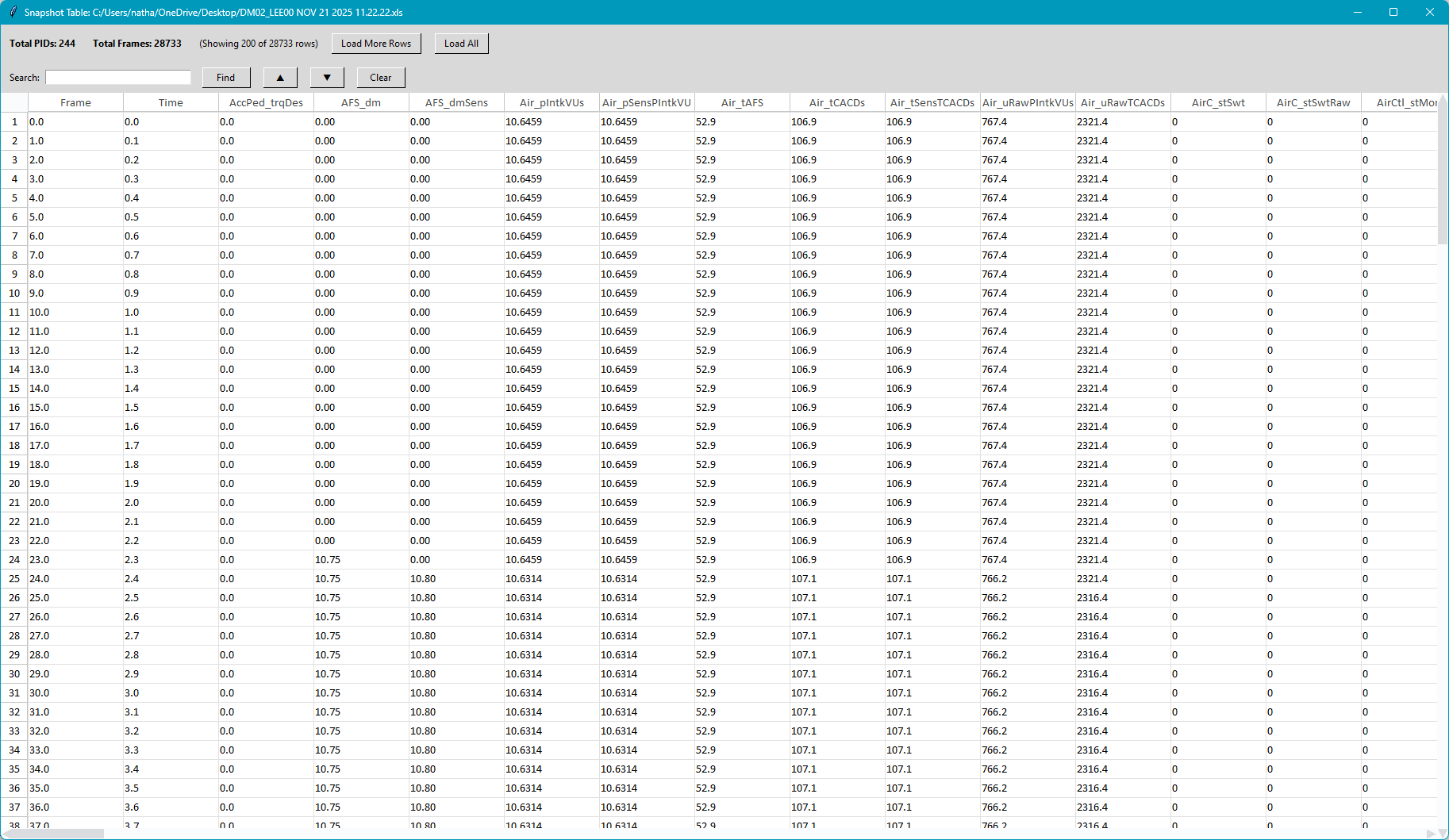
Important: The data shown in this table is a representation of the original snapshot data after cleaning transformations have been applied.
While you can edit cells within the table window, these changes do not modify the underlying data.
Any edits you make are temporary and will be lost when the window is closed.
What is "Cleaned" Data?
The cleaning process transforms raw snapshot data to make it more useful for analysis:
- Units of measure and time are formatted consistently for easier charting
- Unsupported data is removed
- General engine information is parsed and displayed
Table Information
The top of the window displays summary information about the snapshot:
- Total PIDs - The number of parameters (columns) in the snapshot
- Total Frames - The number of data samples (rows) captured
- Rows Loaded - Shows how many rows are currently loaded in the table
Loading Rows
For faster performance, the table initially loads only the first 200 rows. Use the loading buttons to view more data:
- Load More Rows - Loads the next batch of 200 rows into the table
- Load All - Loads all remaining rows at once (may take a moment for large snapshots)
Search Function
The search box allows you to find specific text within the table:
- Search Box - Enter your search term here. Press Enter or click Find to search.
- Find - Searches the column headers and loaded data for matching text
- ▲ / ▼ - Navigate to the previous or next match
- Clear - Clears the search highlighting and resets the search
Matching cells and headers are highlighted in yellow. The search is case-insensitive and searches both column headers and cell values.
Table Interactions
The table supports several interactions:
- Cell Selection - Click to select individual cells.
- Row/Column Selection - Click row numbers or column headers to select entire rows or columns
- Column Resizing - Drag column borders to adjust width
- Copy/Paste - Use Ctrl+C to copy selected data and Ctrl+V to paste
- Right-Click Menu - Access additional options like copy, paste, and undo
- Arrow Keys - Navigate between cells using keyboard arrows. Hold the shift key to select multiple cells
Opening the Cleaned Data Table
To open the Cleaned Data Table, go to the Data menu and select Clean Table.